
How to Reconcile Meta Revenue vs Shopify: Attribution Windows and Finance-Safe Process
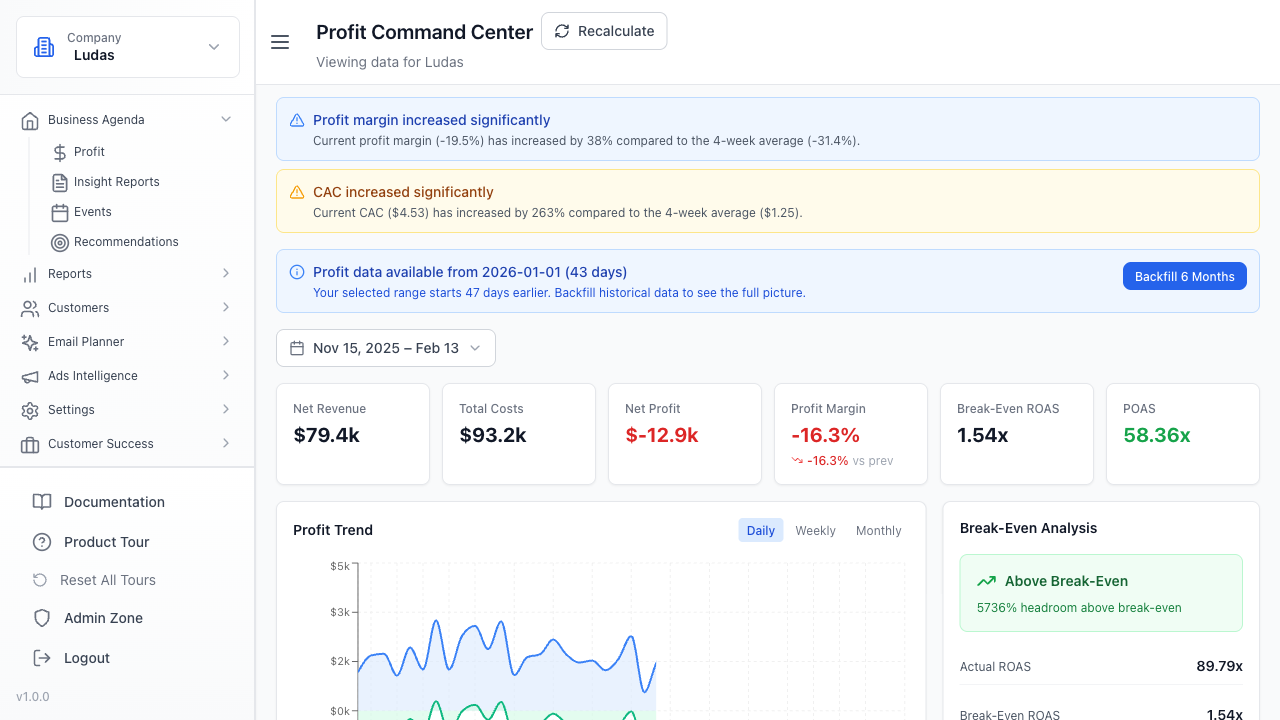
Revenue reconciliation is the process of matching attributed sales in your ad platform against actual transactions recorded in your ecommerce system to validate reporting accuracy and identify discrepancies.
Why Meta and Shopify Numbers Don't Match
Meta's reporting engine and Shopify's transaction ledger operate on different timelines and attribution rules. Meta shows conversions based on pixel fires and conversion windows (typically 1, 7, or 28 days post-click). Shopify records revenue when an order is placed and completed. A customer who clicks a Meta ad on day 1, browses for three days, and purchases on day 4 may fall outside Meta's 1-day window but still appear in Shopify's order history.
The gap widens when accounting for refunds, partial orders, currency conversion delays, and timezone misalignment. Meta's pixel may fire before payment clears. Shopify's revenue report may exclude pending or cancelled transactions. Additionally, direct traffic, organic search, and other channels muddy the attribution picture - Meta can only claim credit for users it tracked, not every order that happened to occur during a campaign window.
Finance teams expect reconciliation because they need to validate ROAS claims, calculate true customer acquisition cost, and ensure ad spend is justified in the P&L. Operators who skip this step risk overstating performance or missing fraud signals.
Set Your Attribution Window Baseline
Attribution window is the number of days after a click or impression during which Meta will credit a conversion to that ad interaction. Meta defaults to 28-day click and 1-day view windows. Shopify does not enforce a window - it records every order placed, regardless of when the customer first touched your brand.
The reconciliation process starts by choosing a single, consistent window for both systems. Most DTC operators use 7-day click attribution because it balances credit assignment with data freshness. A 7-day window means any order placed within 7 days of clicking a Meta ad is attributed to that ad.
To reconcile: pull Meta's conversion report filtered to your chosen window (e.g., 7-day click). Then pull Shopify's order export for the same date range. The Shopify orders should include a UTM source or other tracking parameter that identifies Meta traffic. If your store uses Shopify's native Meta integration, orders are tagged automatically. If you use a third-party pixel, verify the UTM structure is consistent.
- Align on a single attribution window before comparing reports - 7-day click is standard for DTC
- Document your window choice in a shared playbook so finance and marketing reference the same definition
- Test your chosen window against historical data to ensure it captures at least 85% of attributed revenue
Build Your UTM and Pixel Tracking Structure
UTM parameters (utm_source, utm_medium, utm_campaign, utm_content) are the connective tissue between Meta and Shopify. When a customer clicks a Meta ad and lands on your store, the UTM string travels with them. Shopify records the UTM in the order metadata. Later, you can filter Shopify orders by utm_source=facebook to isolate Meta-attributed revenue.
Meta's native Shopify integration automatically appends UTM parameters and fires the Shopify pixel on purchase. If you use this integration, verify it is enabled in your Meta Business Settings and Shopify admin. If you manage pixels manually, ensure every Meta campaign URL includes utm_source=facebook, utm_medium=paid, and a campaign identifier in utm_campaign.
The pixel itself (Meta Conversion API or standard pixel) tells Meta when a purchase occurred. Shopify's pixel sends purchase events to Meta in real time. This bidirectional flow is critical: Meta needs the pixel data to populate its conversion column, and you need the UTM data in Shopify to validate those conversions. If the pixel is not firing or UTMs are missing, reconciliation becomes impossible.
- Use Meta's native Shopify integration if available - it handles UTM and pixel setup automatically
- If manual setup is required, test a sample campaign URL end-to-end: click the ad, verify UTM parameters appear in Shopify checkout, confirm order shows utm_source=facebook
- Audit pixel firing by checking Meta's Events Manager - look for Purchase events with correct value and currency
The Reconciliation Workflow: Step by Step
Start with a specific date range - typically one calendar month or one campaign flight. Pull Meta's Ads Manager conversion report for that period, filtered to your chosen attribution window and campaign(s). Export the data with columns: Campaign Name, Conversions, Conversion Value, Cost. This is your source of truth for what Meta claims it drove.
Next, export Shopify's order data for the same date range. Include columns: Order ID, Date, Total Revenue, UTM Source, UTM Campaign, Payment Status. Filter to orders where utm_source=facebook. Sum the total revenue from these filtered orders. This is your Shopify-side revenue attributed to Meta traffic.
Compare the two totals. Meta's Conversion Value should be close to Shopify's filtered revenue total. Differences of 5 - 15% are normal and usually explained by refunds, cancelled orders, or orders that completed after your export timestamp. Differences above 20% warrant investigation. Common culprits: pixel not firing on all purchases, UTM parameters not appending, refunds not syncing back to Meta, or timezone misalignment between systems.
Document the reconciliation in a shared spreadsheet or dashboard. Record the date range, Meta total, Shopify total, variance percentage, and any notes on discrepancies. Repeat this process monthly so you can spot trends - if variance grows over time, it signals a tracking issue that needs fixing.
- Always use the same date range for both exports - mismatched dates are the #1 source of false discrepancies
- Account for refunds: Shopify's revenue total should exclude refunded orders, or you should subtract refunds from the Shopify total before comparing
- Check timezone settings in both Meta Ads Manager and Shopify - a one-hour offset can shift daily totals
- Verify payment status: only count Shopify orders with status Paid or Completed, not Pending or Cancelled
Handling Common Reconciliation Gaps
Refunds are the most frequent culprit. When a customer returns an order, Shopify records a refund transaction. Meta does not automatically reverse the conversion credit. To reconcile accurately, subtract refunds from your Shopify total before comparing to Meta. Some operators create a separate 'Net Revenue' column in Shopify that equals Total Revenue minus Refunds. This net figure should align with Meta's Conversion Value.
Partial refunds complicate the picture further. If a customer orders two items and returns one, Shopify records a partial refund. Meta still credits the full conversion. The best practice is to exclude partial refunds from your reconciliation or to manually adjust the Shopify total to reflect only full refunds. Document your choice so the process is repeatable.
Cross-device and cross-browser activity creates attribution blind spots. A user clicks a Meta ad on mobile, closes the browser, and completes the purchase on desktop the next day. If Meta's pixel does not fire on the second device, Meta loses credit. Shopify records the order but may not have a UTM parameter if the user typed the URL directly. These orders appear in Shopify but not in Meta's attributed revenue. This is unavoidable but should be quantified - typically 10 - 20% of orders lack clear attribution.
Timezone misalignment is subtle but real. Meta Ads Manager defaults to your account timezone. Shopify defaults to your store's timezone. If they differ, a purchase that occurred at 11 PM on day 1 in Shopify may appear on day 2 in Meta's report. Always set both systems to the same timezone (usually UTC or your primary business timezone) before exporting.
- Create a refund adjustment line in your reconciliation sheet: Shopify Revenue minus Refunds equals Net Revenue
- Flag orders with missing UTM parameters - these are unattributed and should be excluded from both totals
- Accept that 10 - 20% of orders will be unattributed due to cross-device behavior and direct traffic
- Set a monthly reconciliation cadence and assign ownership to one person (usually the analytics or finance lead)
Making Reconciliation Finance-Safe
Finance teams need audit trails. Every number in your reconciliation should be traceable back to a source report. Export Meta Ads Manager reports and Shopify order exports as CSV files and store them in a shared drive with timestamps. Include a summary sheet that shows the calculation: Meta Conversion Value, Shopify Net Revenue, Variance %, and a brief explanation of any gaps.
Establish a variance threshold. Agree with finance that variances under 10% are acceptable and do not require investigation. Variances between 10 - 20% trigger a spot check (review a sample of orders to verify UTM and pixel setup). Variances above 20% require a full audit and corrective action before the report is finalized.
Create a monthly reconciliation template in Excel or Google Sheets. Include sections for Meta data, Shopify data, refund adjustments, unattributed orders, and variance analysis. Use formulas so the math is transparent and repeatable. Share this template with finance so they can audit your work.
Report ROAS (Return on Ad Spend) only after reconciliation is complete. ROAS = Net Revenue / Ad Spend. If you report ROAS before reconciling, you risk overstating performance. Finance will catch the discrepancy later and lose confidence in your reporting. By reconciling first, you ensure ROAS is defensible.
- Export and archive all source reports - Meta CSV, Shopify CSV, pixel event logs - for audit purposes
- Document your reconciliation methodology in a written playbook so it survives team turnover
- Use a variance threshold (e.g., 10% acceptable, 10 - 20% spot check, >20% full audit) to standardize decision-making
- Report reconciled ROAS, not raw Meta ROAS, to finance and leadership
Automation and Ongoing Monitoring
Manual reconciliation is error-prone and time-consuming. As your business scales, consider automating the process. Tools like Finsi, Supermetrics, or custom API integrations can pull Meta and Shopify data daily, calculate variance, and alert you to discrepancies above your threshold. Automation does not eliminate the need for human review, but it reduces manual data entry and catches issues faster.
Set up a weekly or monthly dashboard that shows Meta attributed revenue, Shopify attributed revenue, and variance trend. If variance creeps up over time, it signals a tracking degradation - perhaps the pixel stopped firing, or UTM parameters are not appending correctly. Early detection prevents large reconciliation gaps from accumulating.
Periodically audit your pixel and UTM setup. Every quarter, run a test campaign and verify end-to-end: click the ad, check that UTM parameters appear in the URL, confirm the order shows up in Shopify with the correct UTM source, and verify Meta's Events Manager logs the purchase event. This proactive testing catches setup issues before they skew your reconciliation.
Keep a log of any changes to your tracking setup - new pixel implementation, UTM structure changes, Shopify app updates. When reconciliation variance changes, reference this log to identify the root cause. Correlation is not causation, but a tracking change that coincides with a variance spike is worth investigating.
- Automate data pulls and variance calculation to reduce manual effort and human error
- Monitor variance trend weekly - a rising trend indicates a tracking issue that needs fixing
- Audit pixel and UTM setup quarterly with a test campaign
- Maintain a change log of all tracking setup modifications for troubleshooting
FAQ
What is an acceptable variance between Meta and Shopify revenue?
Variances under 10% are normal and typically do not warrant investigation. Refunds, unattributed orders, and cross-device behavior account for most of this gap. Variances between 10 - 20% should trigger a spot check of your UTM and pixel setup. Variances above 20% indicate a tracking problem that needs to be resolved before you report ROAS to finance.
Should I include refunds in my reconciliation?
No. Subtract refunds from your Shopify revenue total before comparing to Meta. Meta does not automatically reverse conversion credit when a customer returns an order, so your Shopify net revenue (total revenue minus refunds) should be the figure you reconcile against Meta's Conversion Value. Document this adjustment in your reconciliation sheet.
How do I handle orders with missing UTM parameters?
Orders without utm_source=facebook are unattributed and should be excluded from both your Meta and Shopify totals. These typically represent direct traffic, organic search, or cross-device purchases where the UTM parameter was lost. Track the percentage of unattributed orders - if it exceeds 25% of total orders, investigate your pixel and UTM setup.
What attribution window should I use for reconciliation?
Use 7-day click attribution as your standard. This window balances credit assignment with data freshness and is widely accepted by finance teams. Document your chosen window in a shared playbook so marketing and finance reference the same definition. Test your window against historical data to ensure it captures at least 85% of attributed revenue.
FAQ
What is an acceptable variance between Meta and Shopify revenue?
Variances under 10% are normal and typically do not warrant investigation. Refunds, unattributed orders, and cross-device behavior account for most of this gap. Variances between 10 - 20% should trigger a spot check of your UTM and pixel setup. Variances above 20% indicate a tracking problem that needs to be resolved before you report ROAS to finance.
Should I include refunds in my reconciliation?
No. Subtract refunds from your Shopify revenue total before comparing to Meta. Meta does not automatically reverse conversion credit when a customer returns an order, so your Shopify net revenue (total revenue minus refunds) should be the figure you reconcile against Meta's Conversion Value. Document this adjustment in your reconciliation sheet.
How do I handle orders with missing UTM parameters?
Orders without utm_source=facebook are unattributed and should be excluded from both your Meta and Shopify totals. These typically represent direct traffic, organic search, or cross-device purchases where the UTM parameter was lost. Track the percentage of unattributed orders - if it exceeds 25% of total orders, investigate your pixel and UTM setup.
What attribution window should I use for reconciliation?
Use 7-day click attribution as your standard. This window balances credit assignment with data freshness and is widely accepted by finance teams. Document your chosen window in a shared playbook so marketing and finance reference the same definition. Test your window against historical data to ensure it captures at least 85% of attributed revenue.